When a ride-on car stops working, the cause is usually simple. The most common culprits are a battery that isn’t fully charged or properly connected, an overload protector that has cut the power after hard driving, a gear or speed switch resting between positions, or a plug that came loose during assembly. Start with the battery, then the switches and pedal, then the wiring plugs. Most problems show up in that order, and none of those checks need tools beyond a screwdriver.
This guide is organized by symptom, so you can jump to what your car is doing. For charging habits and battery life, see our battery and charging guide. For routine cleaning, wheel checks and storage, see the maintenance and storage guide.
Before you check anything
- Get the child out of the car, switch it off and take out the key if it has one.
- Disconnect the battery before you touch any wiring, motor plug or switch.
- Never open, puncture or try to repair the battery itself. Most kids’ ride-ons use sealed batteries that aren’t meant to be serviced.
- Don’t charge or use a battery that is swollen, cracked, leaking or hot to the touch.
- Never bypass a fuse or overload protector with wire or foil. It’s there to stop wiring and motors from overheating.
- Use only the charger that came with the car, or a replacement that matches its voltage and connector.
Quick diagnosis by symptom
| What the car is doing | Most likely causes | Check first |
|---|---|---|
| Completely dead, nothing happens | Battery flat or disconnected, power switch off, tripped overload | Battery plug, full charge, power button or key |
| Lights and music work, but it won’t drive | Battery too low for the motors, gear switch between positions, pedal switch, motor plug | Full charge, gear and speed switches, pedal |
| Drives, then cuts out | Overload protection tripping, loose connector, low charge under load | Let it cool, then check load, terrain and plugs |
| Slow or weak | Low or ageing battery, low speed setting, too much weight, debris on the axles | Full charge, speed setting, rider weight |
| Only one wheel drives | Normal on some designs, unplugged motor, wheel not engaged with its drive hub | Manual’s drive layout, motor plugs, wheel fitting |
| Beeping or clicking | Low-battery warning, remote alert, switch or relay struggling on low voltage | Full charge, remote batteries |
| Remote won’t connect | Remote batteries, pairing not done, car not in remote mode | Fresh remote batteries, re-pair per manual |
| Won’t charge | Outlet, charger connection, deeply discharged battery | Outlet, plug seating, charger light |
The car won’t move at all
- Charge it fully. A new car often arrives with a battery too low to drive. A car that has been sitting unused may also have drained. Give it a full charge using the time in your manual before you test anything else.
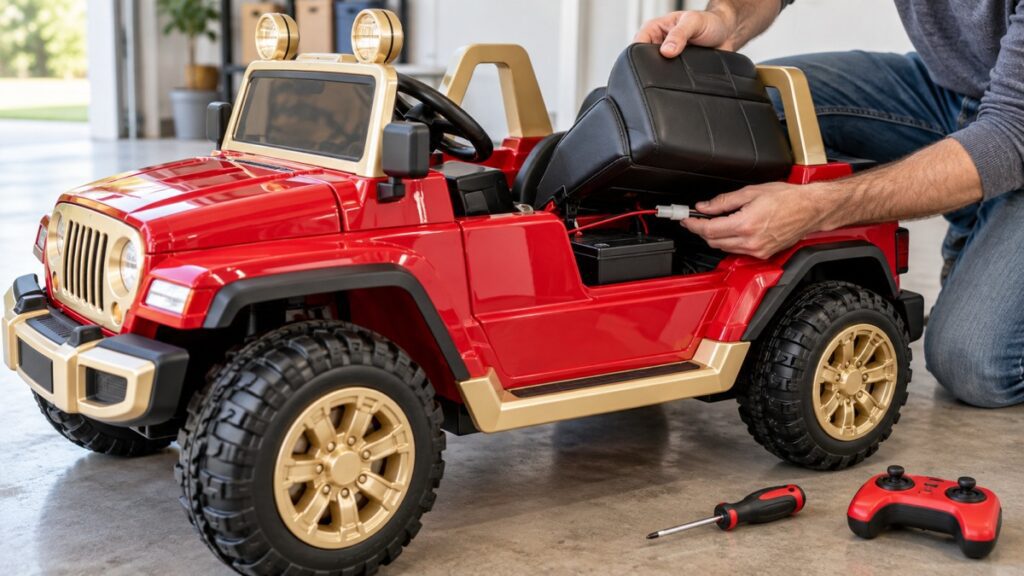
- Check the battery connector. Make sure the plug between the battery and the car’s wiring is pushed fully together and clicks home. On many models it’s under the seat. A plug that isn’t fully seated is one of the most common reasons a car seems dead after assembly.
- Check the power control. Some models use a power button, one-key start or start/stop button, and some use a key. The 12V Polaris and 12V Ford Ranger use one-key start, and the Mercedes Unimog models use a start/stop button. The car won’t respond until that’s switched on.
- Look for a tripped overload protector. Many ride-ons have a resettable protector, often called a thermal fuse, on the battery or in the wiring. It cuts the power if the motors pull too much current. If yours has one, it usually resets once things cool down. Your manual will say where it is and whether it resets automatically.
Lights and music work, but it won’t drive
This narrows things down a lot, because it shows that some power is reaching the car. Lights and audio draw very little current, while motors draw a lot. A battery can run the dashboard but still be too low to move the car. So charge it fully first.
If it still won’t drive:
- Gear selector: make sure the forward/reverse switch is clicked fully into one position. Between positions, many cars won’t drive.
- Speed switch: on multi-speed cars, set the switch firmly to one setting.
- Foot pedal: check that the pedal’s wire is plugged in underneath and that the pedal moves freely and springs back. A pedal blocked by a stone or a stray screw won’t press its switch.
- Remote versus pedal: on dual-control cars, try driving with the remote. If the car moves by remote but not by pedal, the fault is on the pedal side. If it moves by pedal but not by remote, it’s a pairing issue, covered below.
- Motor plugs: with the battery disconnected, check that each motor’s wire is plugged in at the gearbox behind the drive wheels.
It drives, then stops
A car that runs for a while and then cuts out, and works again after a rest, is usually hitting its overload protection. The motors are working harder than the system allows. Common reasons are:
- driving on thick grass, gravel or uphill for long stretches
- a rider, or two riders, at or over the listed weight limit
- repeated hard starts and direction changes
- wheels or axles clogged with grass, string or debris
Let the car rest and cool, then move to flatter, firmer ground or lighten the load. If it cuts out instantly or randomly, even on flat ground with a light rider, suspect a loose battery or motor connector shaken free by bumps, or a battery that is nearly empty under load. If it keeps happening after a full charge and with every plug firmly connected, stop using the car and contact us.
It’s slow or weak
- Charge level and battery age. Speed drops as the charge runs down and as the battery ages. If run time and speed have both fallen off sharply even after a full charge, the battery may be near the end of its life. The battery guide explains when to replace a ride-on battery.
- Speed setting or remote. Check the car isn’t on its low setting, and that the remote hasn’t been left on low speed if your model sets speed from the remote.
- Load and terrain. Extra weight, a second passenger or soft ground all slow a car down. Our guide to how fast ride-on cars go explains what affects speed.
- Drag at the wheels. Lift each wheel off the ground and spin it by hand. Hair, string or grass wound around an axle, or a wheel nut that’s too tight, adds drag the motor has to fight.
Only one wheel is driving
First, check how your car is meant to drive. Some ride-ons are built with drive on the rear wheels only, and some simpler designs drive a single wheel. Others list two motors, such as the 12V Mercedes Benz AMG and 24V Range Rover. True 4×4 models such as the 12V Mercedes Unimog and 48V Can-Am list four. If your car should drive more wheels than it does:
- check the plug on the motor for the wheel that isn’t driving
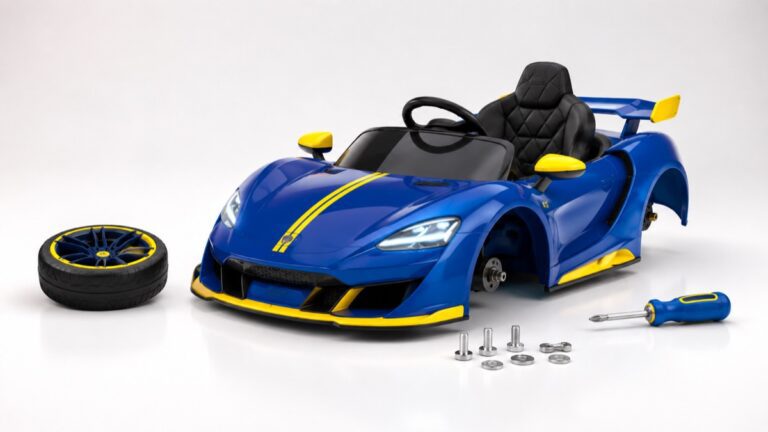
- check that the wheel is seated on its drive hub or adapter, not just spinning loose on the axle. This is a common slip during assembly. Our assembly guide covers wheel fitting.
- listen at that wheel while the car is driving. A motor that hums but doesn’t turn, or grinding from the gearbox, means stop and contact us.
Beeping or clicking
Beeping is usually a warning rather than a fault. On many models it’s a low-battery alert or a signal from the remote system, so charge the car fully and put fresh batteries in the remote. A rapid clicking when the pedal is pressed, with no movement, commonly means a switch or relay is trying to engage on a battery that’s too low, so charge first. A grinding or ratcheting sound from a wheel area while driving is different. It can point to a damaged gear, and you should stop driving the car until it has been checked.
The remote won’t pair or respond
- Put fresh batteries in the remote. Weak remote batteries are a frequent cause.
- Switch the car on first, then follow the pairing sequence in your manual. On many 2.4G remotes this means holding a pairing button until a light stops flashing, but the exact steps vary by model.
- If your car has a manual/remote mode switch, set it to remote.
- Pair and test within a few feet of the car, away from other remote-controlled toys.
- Re-pair after any time the battery has been fully disconnected, if your manual calls for it.
Our parental remote guide explains how dual-control ride-ons work.
It won’t charge
Check the simple things first. Try the outlet with another device. Push the charger plug fully into the car’s charging port or the battery’s connector. And note what the charger’s indicator light does, because your manual will explain what each light means. A battery left fully drained for a long time, such as over winter without top-up charges, may stop accepting a charge. In that case it likely needs replacing. For normal charge times and the habits that keep a battery healthy, the battery and charging guide has the details.
When to stop and contact us
Stop using the car and get in touch if you notice any of these:
- a burning smell, smoke, or melted or discolored plastic near the battery, wiring or motors
- a battery that is swollen, leaking or hot
- repeated cut-outs after a full charge, with every plug firmly connected
- grinding from a gearbox, or a motor that hums but won’t turn
- cracked steering parts, frame or seat mounts
Email support@carzonetoys.com or call (470) 399-8255. To speed things up, include your order number, the model name, a short video of the problem and a list of what you’ve already checked. You can also reach us through our contact page.
Frequently asked questions
Why does my ride-on work on the driveway but stall on grass?
Grass makes the motors work much harder than pavement, so the car may hit its overload protection or simply run out of pulling power. Higher-voltage, multi-motor and 4×4 models handle grass better. Our best ride-on cars for grass guide explains what to look for.
Can I use a different battery or charger?
Only one that matches the original’s voltage and connector, and is intended for your model. A higher-voltage battery can overheat the motors and wiring. A mismatched charger can damage the battery.
My ride-on stopped working after sitting for months. Is it broken?
Often it’s just the battery. Batteries that sit without top-up charges can drain too far to recover. Give it a full charge first. If it won’t hold a charge, replace the battery before you suspect anything else. The maintenance and storage guide explains how to avoid this next time.
Shopping for Christmas? See our ride-on gift picks by age & budget — order by Dec 5 for shipped delivery, or pick up free in Douglasville, Dawsonville or Stonecrest. Black Friday deals →